Categories
Misc

Why I am getting less accuracy and big loss?

I chose the TensorFlow estimator for implementation due to having a distributed training API support. Well, honestly saying, I found a code, which was quite understandable. So I chose that to implement sensor-based signal recognition on multiple GPUs.

The code was basically for MNIST data set training on multiple GPUs. I got the error after executing the code, and that error was coming due to not working mnist dataset API downloading. Here is the link to that code. https://github.com/shu-yusa/tensorflow-mirrored-strategy-sample/blob/master/cnn_mnist.py

I could not found any solution on google. There might be are multiple issues behind that; implementing in Tensorflow1 can be one of them. I tried to convert that code into Tensorflow2. Mostly code is transformed; however, tf.contrib related things did not restore. So I decided to edit that code for sensor-based signal (Time series).

However, when I ran the code, the accuracy was 30%, and the lost value was bigger. On the other hand, when I implemented CNN on the same data set on Low-level tensor API, I received 95% accuracy. Now I do not know why it is giving low accuracy on the tf estimator. In my opinion, one of the reasons can be wrong input feeding to the CNN. Here is the code:

def cnn_model_fn(features, labels, mode):

“””Model function for CNN.”””

# Input Layer

# Reshape X to 4-D tensor: [batch_size, width, height, channels]

# input 1 * segment_size, and have three channel, in accelrometer we have x, y, z

input_layer = tf.reshape(features[“x”], [-1, 1, segment_size, num_input_channels])

# Convolutional Layer #1

# Computes 32 features using a 5×5 filter with ReLU activation.

# Padding is added to preserve width and height.

# Input Tensor Shape: [batch_size, 28, 28, 1]

# Output Tensor Shape: [batch_size, 28, 28, 32]

conv1 = tf.compat.v1.layers.conv2d(

inputs=input_layer,

filters=32,

kernel_size=[1, 12],

padding=”same”,

activation=tf.nn.relu)

# Pooling Layer #1

# First max pooling layer with a 2×2 filter and stride of 2

# Input Tensor Shape: [batch_size, 28, 28, 32]

# Output Tensor Shape: [batch_size, 14, 14, 32]

pool1 = tf.compat.v1.layers.max_pooling2d(inputs=conv1, pool_size=[1, 4], strides=2, padding=’same’)

# Convolutional Layer #2

# Computes 64 features using a 5×5 filter.

# Padding is added to preserve width and height.

# Input Tensor Shape: [batch_size, 14, 14, 32]

# Output Tensor Shape: [batch_size, 14, 14, 64]

conv2 = tf.compat.v1.layers.conv2d(

inputs=pool1,

filters=64,

kernel_size=[1, 12],

padding=”same”,

activation=tf.nn.relu)

# Pooling Layer #2

# Second max pooling layer with a 2×2 filter and stride of 2

# Input Tensor Shape: [batch_size, 14, 14, 64]

# Output Tensor Shape: [batch_size, 7, 7, 64]

pool2 = tf.compat.v1.layers.max_pooling2d(inputs=conv2, pool_size=[1, 4], strides=2, padding=’same’)

# Flatten tensor into a batch of vectors

# Input Tensor Shape: [batch_size, 7, 7, 64]

# Output Tensor Shape: [batch_size, 7 * 7 * 64]

pool2_flat = tf.reshape(pool2, [-1, 1 * 50 * 64])

# Dense Layer

# Densely connected layer with 1024 neurons

# Input Tensor Shape: [batch_size, 7 * 7 * 64]

# Output Tensor Shape: [batch_size, 1024]

dense = tf.compat.v1.layers.dense(inputs=pool2_flat, units=1024, activation=tf.nn.relu)

# Add dropout operation; 0.6 probability that element will be kept

dropout = tf.compat.v1.layers.dropout(

inputs=dense, rate=0.4, training=mode == tf.estimator.ModeKeys.TRAIN)

# Logits layer

# Input Tensor Shape: [batch_size, 1024]

# Output Tensor Shape: [batch_size, 10]

logits = tf.compat.v1.layers.dense(inputs=dropout,

units=6) # unit =10 in our case we have 6 classes so will 6 units at last layer

predictions = {

# Generate predictions (for PREDICT and EVAL mode)

“classes”: tf.argmax(input=logits, axis=1),

# Add softmax_tensor` to the graph. It is used for PREDICT and by the`

# logging_hook`.`

“probabilities”: tf.nn.softmax(logits, name=”softmax_tensor”)

}

if mode == tf.estimator.ModeKeys.PREDICT:

return tf.estimator.EstimatorSpec(mode=mode, predictions=predictions)

# labels = tf.argmax(tf.cast(labels, dtype=tf.int32), 1)

# Calculate Loss (for both TRAIN and EVAL modes)

loss = tf.compat.v1.losses.sparse_softmax_cross_entropy(labels=labels, logits=logits)

# here we define how we calculate our accuracy

# if you want to monitor your training accuracy you need these two lines

# accuracy = tf.compat.v1.metrics.accuracy(labels=labels, predictions=predictions[‘classes’], name=’acc_op’)

# tf.summary.scalar(‘accuracy’, accuracy[1])

# Configure the Training Op (for TRAIN mode)

if mode == tf.estimator.ModeKeys.TRAIN:

optimizer = tf.compat.v1.train.GradientDescentOptimizer(learning_rate=0.001)

train_op = optimizer.minimize(

loss=loss,

global_step=tf.compat.v1.train.get_global_step())

return tf.estimator.EstimatorSpec(mode=mode, loss=loss, train_op=train_op)

# Add evaluation metrics (for EVAL mode)

eval_metric_ops = {

“accuracy”: tf.compat.v1.metrics.accuracy(labels,

predictions=predictions[“classes”])}

return tf.estimator.EstimatorSpec(

mode=mode, loss=loss, eval_metric_ops=eval_metric_ops)

After debugging:

in `def cnn_model_fn(features, labels, mode):` I am getting {‘x’: <tf.Tensor ‘IteratorGetNext:0’ shape=(?, 600) dtype=float64>} and in labels Tensor(“IteratorGetNext:1”, shape=(?,), dtype=int64) and in mode {str} train.

**Here the result on test data:**

Saving ‘checkpoint_path’ summary for global step 1000: /tmp/tmp77ffy2i9/model.ckpt-1000

{‘accuracy’: 0.3959022, ‘loss’: 1.698279, ‘global_step’: 1000}**

Can anyone help why my model giving less accuracy and huge loss value?

submitted by /u/Nafees060
[visit reddit] [comments]
Categories
Misc

Shackling Jitter and Perfecting Ping, How to Reduce Latency in Cloud Gaming

Looking to improve your cloud gaming experience? First, become a master of your network. Twitch-class champions in cloud gaming shred Wi-Fi and broadband waves. They cultivate good ping to defeat two enemies — latency and jitter. What Is Latency?  Latency or lag is a delay in getting data from the device in your hands to Read article >

The post Shackling Jitter and Perfecting Ping, How to Reduce Latency in Cloud Gaming appeared first on The Official NVIDIA Blog.

Categories
Misc

LSTM or Transformer for multi input/output time Series prediction?

Hello everybody, I’m about to write a kind of weather forecasting neural network and do not really find something good about transformers… My initial thought was a classic LSTM but in the last days I heard a lot of good stuff about Transformers, especially with multiple Input variables. Does Anybody here know more about that topic and would love to explain to me why I would use LSTM, Transformers or something else?

The data input will be a list of variables like temperature, humidity, elevation, wind speed, wind direction, …

The data output should be a 0-100 possibility of a specific event to occur.

I have some Billion labeled Data Points of from historical data.

Thx for your Help!

submitted by /u/deep-and-learning
[visit reddit] [comments]

Categories
Misc

GAN + TFLite + Golang: A simple example

submitted by /u/i8code
[visit reddit] [comments]

Categories
Misc

Unable to decode bytes as JPEG, PNG, GIF, or BMP

I get this error using this repo https://github.com/aydao/stylegan2-surgery . I checked all Images in the dataset, their not corrupted and all have the right file format

submitted by /u/shinysamurzl
[visit reddit] [comments]

Categories
Misc

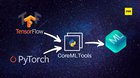
Converting PyTorch and TensorFlow Models into Apple Core ML using CoreMLTools

Converting PyTorch and TensorFlow Models into Apple Core ML using CoreMLTools submitted by /u/analyticsindiam
[visit reddit] [comments]
Categories
Misc

GTC21: Top 5 Public Sector Technical Sessions

This year at GTC you will join speakers and panelists considered to be the pioneers of AI who are transforming AI possibilities in government and beyond.

This year at GTC you will join speakers and panelists considered to be the pioneers of AI who are transforming AI possibilities in government and beyond. 

By registering for this free event you’ll get access to our top sessions below.

  1. Computer Vision for Satellite Imagery with Few Labels
    The need for large volumes of data labeled for specific tasks is perhaps the most common obstacle for successfully applying deep learning. Discover how to apply deep learning on satellite imagery when labeled training data is limited, or even nonexistent. First, find out how a state-of-the-art unsupervised algorithm can learn a feature extractor on the noisy and imbalanced xView dataset that readily adapts to several tasks: visual similarity search that performs well on both common and rare classes; identifying outliers within a labeled data set; and learning a class hierarchy automatically.

    Aaron Reite, Staff Senior Scientist, National Geo-Spatial Intelligence Agency

  1. Accelerated Extreme Wideband Spectrum Processing
    Across commercial and federal industries in wireless communications, demand is increasing for real-time wideband (GHz) software-based signal processing applications that take advantage of graphics processing units for both their ability to do massively parallel processing and AI/ML inferencing. From 5G radio access networks and government RF sensing systems to the search for extrasolar radio phenomena, this technology promises a flexible alternative to field-programmable gate array-based solutions and existing software-based signal processing stacks that cannot keep up to GHz sample rates. Researchers at The MITRE Corporation developed Photon to address these demands, and the approach represents a breakthrough in heterogeneous processing technology. Get a demonstration and engage in discussion of a software system that deploys GPU-accelerated DSP Photon processing blocks incorporated into docker microservices to survey 100s MHz of spectrum within milliseconds.

    Bill Urrego, Chief Scientist, GPU-Accelerated Computing, The MITRE Corporation

  1. Accelerating Geospatial Remote Sensing Workflows Using NVIDIA SDKs
    Learn about the advantages of moving end-to-end geospatial workflows onto the GPU. Geospatial imagery is typically exploited using very parallelizable processing methods, but only portions of a processing workflow are usually ported to a GPU. Particularly in AI-based exploitation workflows, moving data back and forth between host and device wastes both time and resources. In this session, you’ll explore system architectures, data models, and supporting NVIDIA SDKs for mapping entire geospatial workflows onto GPUs and the potential speedups and efficiencies to be gained.

    John Howe, Senior Data Scientist, NVIDIA
    May Casterline, Senior Data Scientist, NVIDIA

  1. Building a GPU-Accelerated Cyber Flyaway Kit (Presented by Booz Allen Hamilton)
    Cyber incident response requires portable, data center-scale power at the edge to hunt for malicious activity amid vast seas of cyber data. Booz Allen and NVIDIA are tackling this problem together, building tera-scale GPU compute into a portable flyaway kit with next-generation, AI-based incident response capabilities. Join Tech Lead Will Badart and Project Manager JC Sullivan as they share their experiences working in this unique problem space and look to the future of GPU-powered AI for cyber security.

    JC Sullivan, Lead Data Scientist, Booz Allen Hamilton

  1. Transformer-Based Deep Learning for Asset Predictive Maintenance
    This session introduces novel transformer-based deep learning approaches to predict asset failures, and compares model performances against autoencoders using an event-based performance evaluation framework.

    Mehdi Maasoumy, Principal Data Scientist, C3.ai
    Daniel Salz, Data Scientist, C3.ai

Visit the GTC website to view more recommended Public Sector sessions and to register for the free conference.

Categories
Misc

Amazon Elastic Kubernetes Services Now Offers Native Support for NVIDIA A100 Multi-Instance GPUs

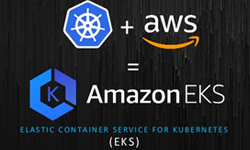
NVIDIA and AWS collaborated to create the Amazon Elastic Kubernetes Service (EKS), a managed Kubernetes service to scale, load balance and orchestrate workloads, now offers native support for the Multi-Instance GPU (MIG) feature offered by A100 Tensor Core GPUs, that power the Amazon EC2 P4d instances.

Deployment and integration of trained machine learning (ML) models in production remains a hard problem, both for application developers and the infrastructure teams supporting them. How do you ensure you have the right-sized compute resources to support multiple end-users, serve multiple disparate workloads at the highest level of performance, automatically balancing the load, scale up or down based on demand? All this while delivering the best user-experience, maximizing utilization, and minimizing operational costs. It’s a tall order to say the least. 

Solving for all these challenges requires the coming together of two things: (1) Workloads optimized for best inference performance that is repeatable and portable, and (2) simplified and automated cluster infrastructure management that is both secure and scalable. NVIDIA and Amazon Web Services (AWS) have collaborated to do just that – the Amazon Elastic Kubernetes Service (EKS), a managed Kubernetes service to scale, load balance and orchestrate workloads, now offers native support for the Multi-Instance GPU (MIG) feature offered by A100 Tensor Core GPUs, that power the Amazon EC2 P4d instances.

This new integration offers developers access to the right-sized GPU-acceleration for their applications, big and small, and gives infrastructure managers the flexibility to efficiently scale and service multi-user or multi-model AI inference serving use-cases, like Intelligent Video Analytics and Conversational AI pipelines and recommender systems with greater granularity. 

                Figure 1: High-Level Workflow to Use MIG in EKS

With A100’s MIG feature enabled, each EC2 P4d instance can be partitioned into as many as 56 separate 5GB GPU instances, each with their own high-bandwidth memory, cache, and compute cores. Amazon EKS can then provision each P4d instance as a node with up to 56 schedulable GPU instances per node, where each GPU instance can service an independent workload — one EC2 P4d instance, 56 Accelerators. And these instances can be incrementally and dynamically scaled up or down on-demand for optimal utilization and cost savings.

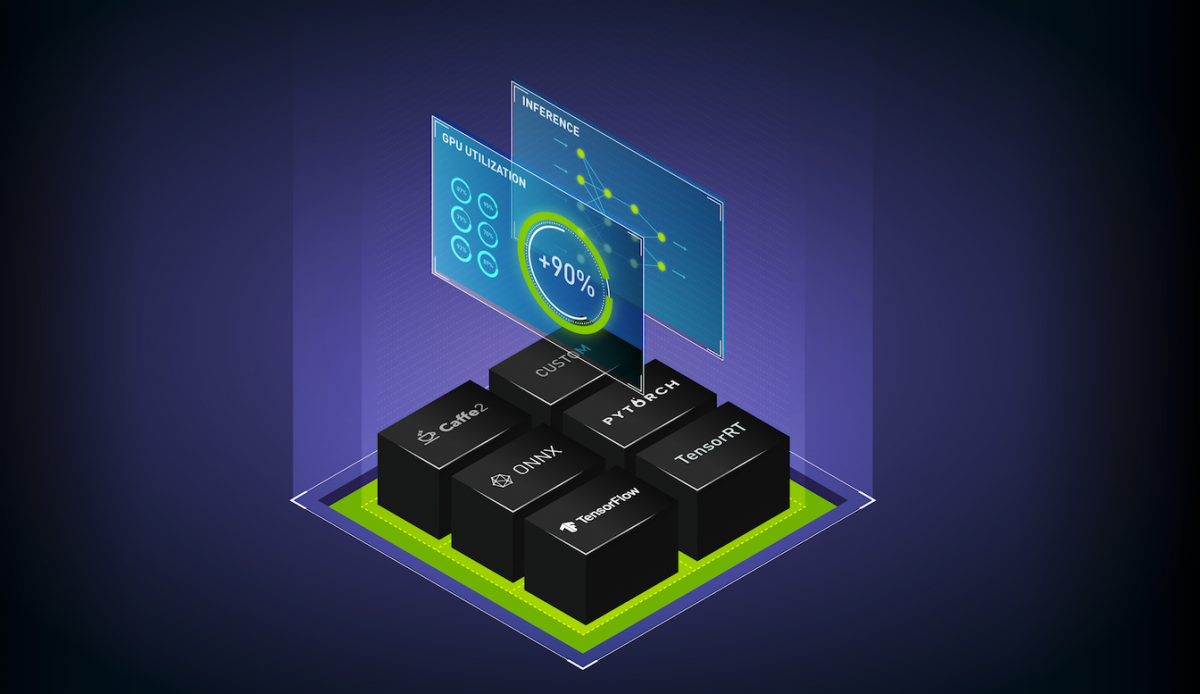
NVIDIA makes deployment even easier with Triton Inference Server software to simplify the deployment of AI models at scale in production. This open-source inference serving software that lets teams deploy trained AI models from any framework (TensorFlow, TensorRT, PyTorch, ONNX Runtime, or a custom framework), from local storage or Amazon Simple Storage Service (Amazon S3 on any GPU- or CPU-based infrastructure (cloud, data center, or edge). Triton Inference Server software is available from NGC, a hub for GPU-optimized pre-trained models, scripts, Helm charts and a wide array of AI and HPC Software. With the NGC Catalog now available in AWS Marketplace, developers and infrastructure managers can leverage NVIDIA’s GPU-optimized software stack optimized for the MIG capability of the latest A100 GPUs without leaving the AWS portal.

Ready to get started and evaluate the Amazon EKS and A100 MIG integration? Check out the AWS blog for a step-by-step walkthrough on how to use Amazon EKS with up to scale 56 independent GPU-accelerated Image Super-Resolution (ISR) inference workloads in parallel on a single EC2 P4d instance. With the combination of A100 MIG, Amazon EKS, and the P4d instance, you can get a 2.5x speed-up compared to processing them without MIG enabled on the same instance. Better utilization, better user experiences, and lower costs.

Categories
Misc

GTC 21: Top 5 NVIDIA AI/DL Technical Sessions

With more than 1,400 sessions including the latest deep learning technologies in conversational AI, recommender systems, computer vision, and video streaming, here is a preview of some of the top AI/DL sessions.
NVIDIA GTC is coming up starting on April 12th with more than 1,400 sessions including the latest deep learning technologies in conversational AI, recommender systems, computer vision, and video streaming. 

Here’s a preview of some of the top AI/DL sessions at GTC. 

  1. Building & Deploying a Custom Conversational AI App with NVIDIA Transfer Learning Toolkit and Jarvis
    Tailoring the deep learning models in a Conversational AI pipeline to the needs of your enterprise is time-consuming. Deployment for a domain-specific application typically requires several cycles of re-training, fine-tuning, and deploying the model until it satisfies the requirements. In this session, we will walk you through the process of customizing ASR and NLP pipelines to build a truly customized production-ready Conversational AI application that is fine-tuned to your domain.

    Arun Venkatesan, Product Manager, Deep Learning Software, NVIDIA
    Nikhil Srihari, Deep Learning Software Technical Marketing Engineer, NVIDIA

  1. Accelerated ETL, Training and Inference of Recommender Systems on the GPU with Merlin, HugeCTR, NVTabular, and Triton
    Learn how the Merlin framework, consisting of NVTabular for ETL, HugeCTR for training, and Triton for inference serving. Merlin accelerates recommender systems on GPU, speeding up common ETL tasks, training of models, and inference serving by ~10x over commonly used methods. Beyond providing better performance, these libraries are also designed to be easy to use and integrate with existing recommendation pipelines.

    Even Oldridge, Senior Manager, Recommender Systems Framework Team, NVIDIA

  1. Accelerating AI Workflows with NGC
    This session will walk through building a conversational AI solution using the artifacts from the NGC catalog, including a Jupyter notebook, so the process can be repeated offline. It will also cover the benefits of using NGC software throughout AI development journeys.

    Adel El Hallak, Director of Product Management for NGC, NVIDIA
    Chris Parsons, Product Manager, NGC, NVIDIA

  1.  NVIDIA Maxine: An Accelerated Platform SDK for Developers of Video Conferencing Services
    NVIDIA Maxine, such as how applications based on Maxine can reduce video bandwidth usage down to one-tenth of H.264 using AI video compression. Also see the latest innovations from NVIDIA research, such as face alignment, gaze correction, face re-lighting and real-time translation, in addition to capabilities such as super-resolution, noise removal, closed captioning and virtual assistants.

    Davide Onofrio, Technical Marketing Engineer Lead, NVIDIA
    Abhijit Patait, Director, System Software, NVIDIA
    Abhishek Sawarkar, Deep Learning Software Technical Marketing Engineer, NVIDIA
    Tanay Varshney, Technical Marketing Engineer, Deep Learning, NVIDIA
    Alex Qi, Product Manager, AI Software, NVIDIA

  1. Easily Deploy AI Deep Learning Models at Scale with Triton Inference Server
    Triton Inference Server is a model serving software that simplifies the deployment of AI models at scale in production. It’s an open-source serving software that lets teams deploy trained AI models from any framework on any GPU- or CPU-based infrastructure. Learn about high performance inference serving with Triton’s concurrent execution, dynamic batching, and integrations with Kubernetes and other tools.

    Mahan Salehi, Deep Learning Software Product Manager, NVIDIA

Register today for GTC or explore more deep learning sessions to learn about the latest breakthroughs in AI applications for computer vision, conversational AI, and recommender systems.

Categories
Misc

GTC 21: Top 5 Data Center Networking Sessions

Attend GTC to learn more about breakthroughs in data center and cloud networking, including optimized modern workloads and programmable data center infrastructure.

NVIDIA GTC is starting on April 12 with a special focus this year on breakthroughs in data center and cloud networking, including optimized modern workloads and programmable data center infrastructure. Join us to explore advanced technologies and strategies for maximizing your data center networking performance and improve ROI. 

  1. Program Data Center Infrastructure Acceleration with the release of DOCA and the latest DPU software

    NVIDIA is releasing the first version of DOCA, a set of libraries, SDKs, and tools for programming the NVIDIA BlueField DPU, as well as the new version 3.6 of the data-processing unit (DPU) software. Together, these enable new infrastructure acceleration and management features in BlueField and simplify programming and application integration. DPU developers can offload and accelerate networking, virtualization, security, and storage features including VirtIO for NFV/VNFs, NVMe SNAP for storage virtualization, regular expression matching for malware detection, and deep packet inspection to enable sophisticated routing, firewall, and load-balancing applications.

    Ariel Kit, Director of Product Marketing for Networking, NVIDIA
    Ami Badani, Vice President of Marketing, NVIDIA

  1. How to Optimize Modern Workloads Efficiency over Next Generation Hybrid Cloud Solution Architecture

    Modern hybrid cloud solutions are shifting to software-defined networking and software-defined storage, which, combined with the traditional server virtualization, put a heavy load on the CPU as it needs to process more demanding storage, networking, and security infrastructure applications and often competes with revenue-generating workloads for CPU, memory, and I/O resources. This drives the need for a new, more efficient, data center architecture that’s easy to deploy, operate, and scale. Learn how VMware’s Project Monterey over NVIDIA’s BlueField-2 DPU enables IT personnel to deploy hybrid cloud clusters that can deliver on its goals while meeting organizational business objectives in the most efficient way.

    Sudhanshu (Suds) Jain, Director of Product Management, VMware
    Motti Beck, Senior Director, Enterprise Market Development, NVIDIA

  1. Turbocharge Red Hat OpenShift Container Platform with High Performance and Efficient Networking

    Cloud-native applications based on Kubernetes, containers, and microservices are rapidly growing in popularity. These modern workloads are distributed, data-intensive, and latency-sensitive by design. Therein lies the need for fast and super-efficient networking to achieve a predictable and consistent user experience and performance while using cloud-native applications. Learn how NVIDIA Mellanox Networking turbocharges Red Hat’s OpenShift cloud platform with hardware-accelerated, software-defined cloud-native networking. NVIDIA and Red Hat work together to boost the performance and efficiency of modern cloud infrastructure, delivering a delightful customer experience to enterprises and cloud operators alike.

    Erez Cohen, Mellanox VP CloudX Program, NVIDIA
    Marc Curry, Senior Principal Product Manager, OpenShift, Cloud Platform BU, Red Hat

  1. NVIDIA DGX Ethernet Fabric Design and Automated Deployment

    In order for a DGX pod to deliver the highest levels of AI performance, it needs a network configured to deliver the bandwidth, latency, and lossless characteristics necessary to feed the GPUs and high-speed storage devices attached to it. We’ll describe the requirements and design for an all-Ethernet DGX deployment. We’ll also demo how to automate and validate the deployment of NVIDIA DGX servers and NVIDIA networking.

    Pete Lumbis, Director Technical Marketing and Documentation, NVIDIA

  1. Apache Spark Acceleration over VMware’s Tanzu with NVIDIA’s GPU and Networking Solutions

    Apache Spark is an open-source project that’s achieved wide popularity in the analytical space. It’s used by well-known big data and machine learning workloads such as streaming, processing a wide array of datasets, and ETL, to name a few. Kubernetes is now a native option for Spark resource manager. By packaging Spark application as a container, you can reap the benefits of containers because you package your dependencies along with your application as a single entity.

    Boris Kovalev, Staff Solutions Architect, NVIDIA
    Mohan Potheri, Staff Solutions Architect, VMware

Visit the GTC website to register for GTC (free) and to learn more about our Data Center Networking track.